
Cyclo Control
This guide shows how to run the Cyclo Control from cyclo_control on OMX.
Cyclo Control is the software layer that acts like the robot's motion interpreter. You give it an easier command, such as an end-effector target pose or a joint target, and it computes the joint trajectories that the real robot should follow. 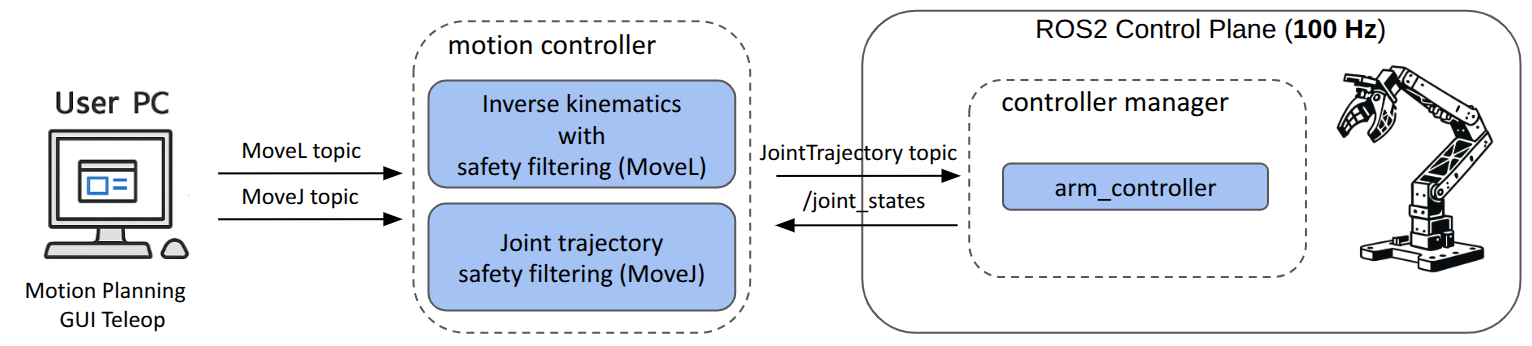
Its QP(Quadratic Programming)-based controller is especially useful because it does not only track the command, but also tries to keep the motion safe at the same time by considering limits and constraints such as joint range, joint velocity, and self-collision avoidance. In practice, you use it when you want to command the robot by target poses or joint commands while still relying on the controller to generate safe motion. 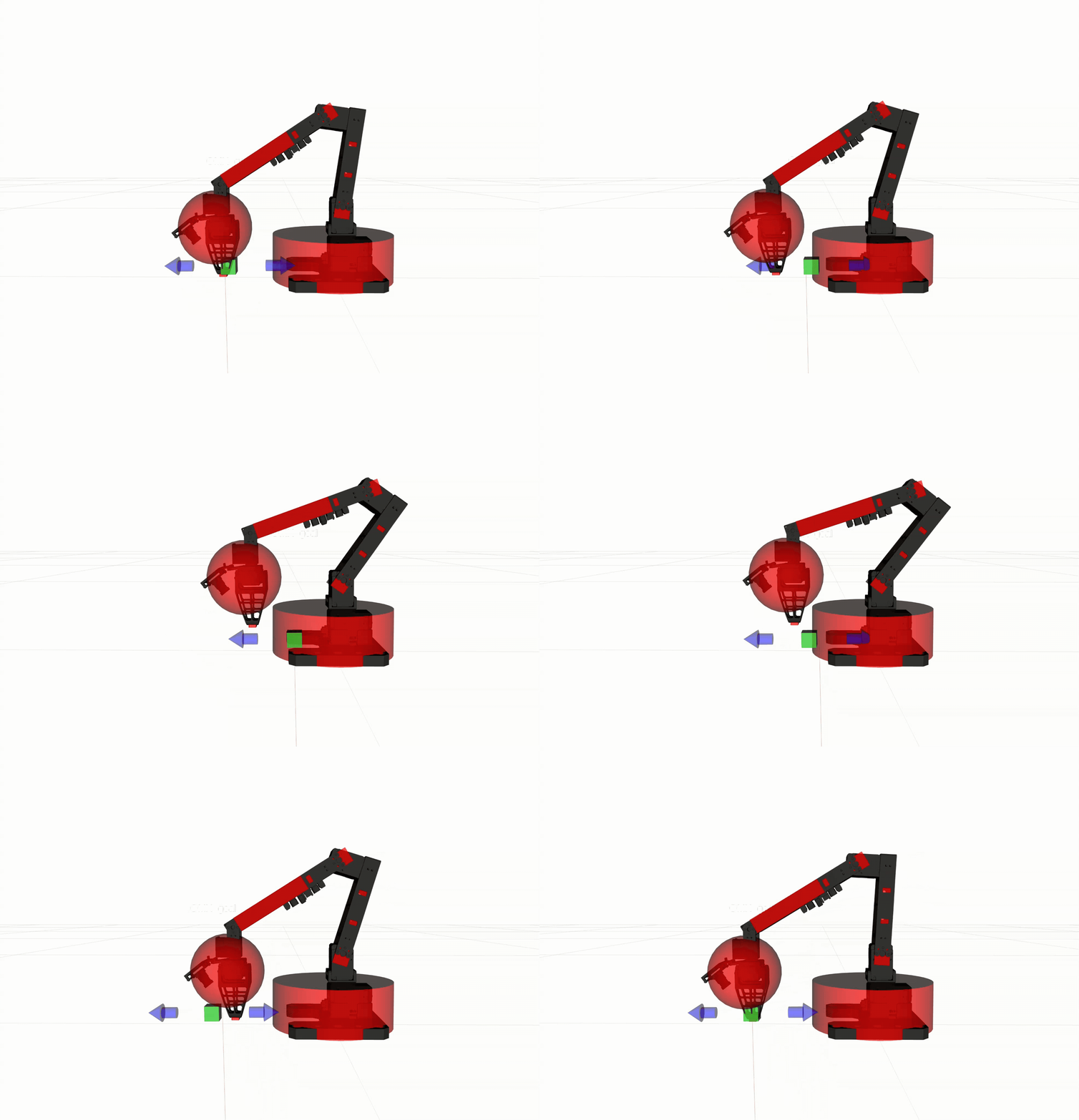
DANGER
⚠️ The controller only provides self-collision avoidance, and it is not guaranteed in all situations. Always operate the robot carefully and avoid fast or sudden movements.
Supported Controllers
controller_type:=movel(Default): Generates interpolated arm motion from the current hand pose to the requested goal pose.controller_type:=movej: Generates interpolated arm motion from the current joint configuration to the requested joint goal.
Understanding MoveL and MoveJ
MoveL and MoveJ are not just "send one target and hope the robot gets there." They are motion commands that tell the controller to generate an interpolated motion from the robot's current state to the requested goal over a given time.
MoveLmeans "move in a Cartesian line." You command a target hand pose and an interpolation time, and the controller generates a smooth motion that keeps the end-effector on a straight (linear) path from the current pose to the goal.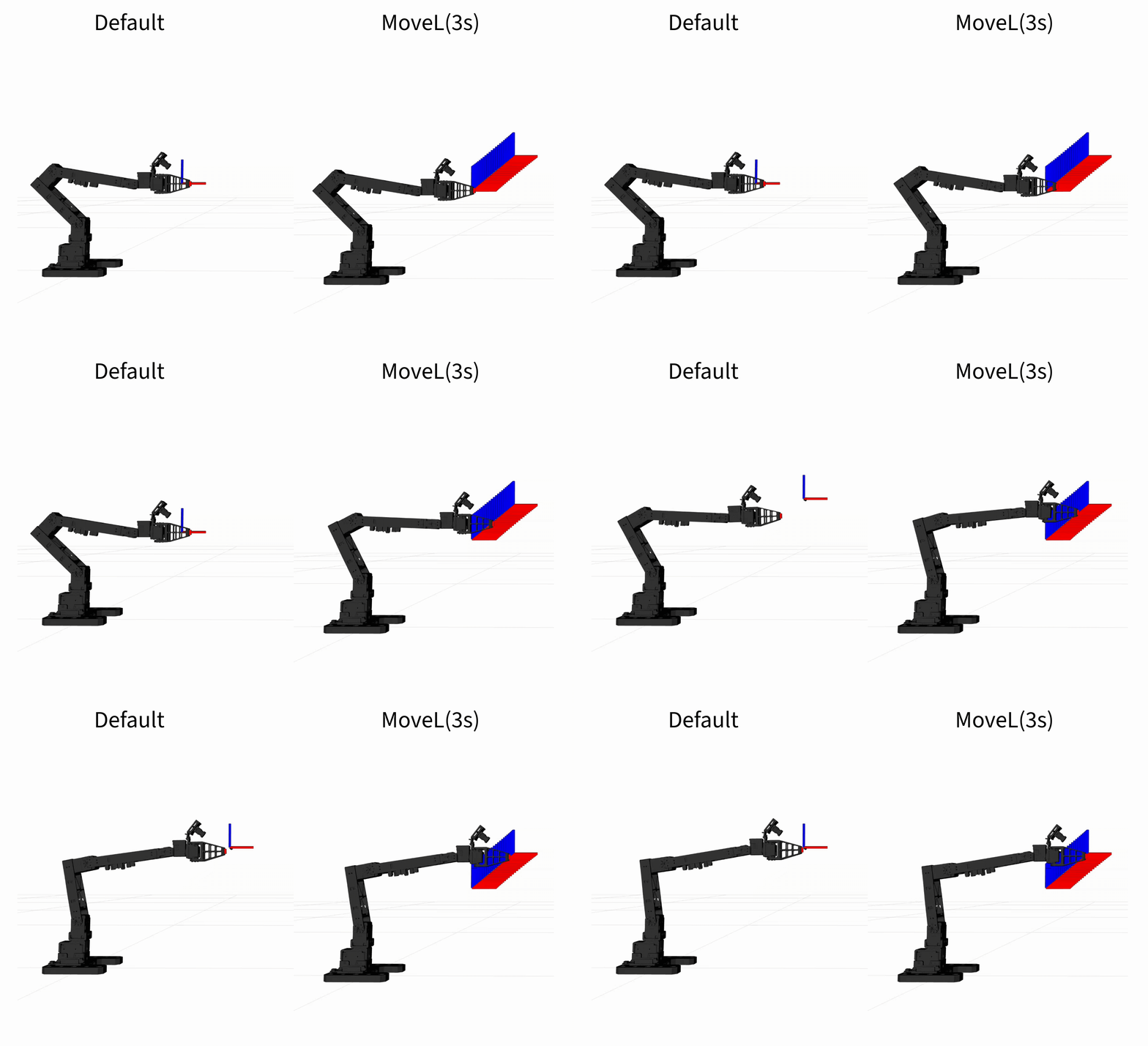
MoveJmeans "move in joint space." You command target joint values and an interpolation time, and the controller generates a smooth motion from the current joint configuration toward those values. Because the interpolation happens in joint space, the end-effector path is generally not a straight line and may appear curved.
This is different from a simple pose or joint command that only describes the desired target state. MoveL and MoveJ are higher-level motion commands because they also imply a transition from the current state to the goal, including how long that transition should take.
Prerequisites
- Complete the hardware and software steps in the Setup Guide.
- In the default open_manipulator Docker container environment, clone
cyclo_controlinto~/ros2_ws/src, then follow the installation steps in the README. - Ensure OMX is on a stable surface with enough clearance for arm motion.
Bring Up OMX
Start the OMX follower bringup first. Run this on the user PC:
cd open_manipulator/docker
./container.sh enter
ros2 launch open_manipulator_bringup omx_f_follower_ai.launch.py
Keep that terminal running. Open a new terminal for the motion controller commands below.
Launch MoveL Controller
Open two new terminals and run the same environment setup in both:
cd open_manipulator/docker
./container.sh enter
source /opt/ros/jazzy/setup.bash
source ~/ros2_ws/install/setup.bash- In the first terminal, launch the default
movelcontroller:bashros2 launch cyclo_motion_controller_ros omx_controller.launch.py - For marker-based control in RViz, relaunch it with
start_interactive_marker:=true:bashros2 launch cyclo_motion_controller_ros omx_controller.launch.py start_interactive_marker:=true - If you use marker-based control, start RViz if it is not already running:bash
rviz2 - In RViz, set the fixed frame to
link0and add these displays:RobotModelTFInteractiveMarkers
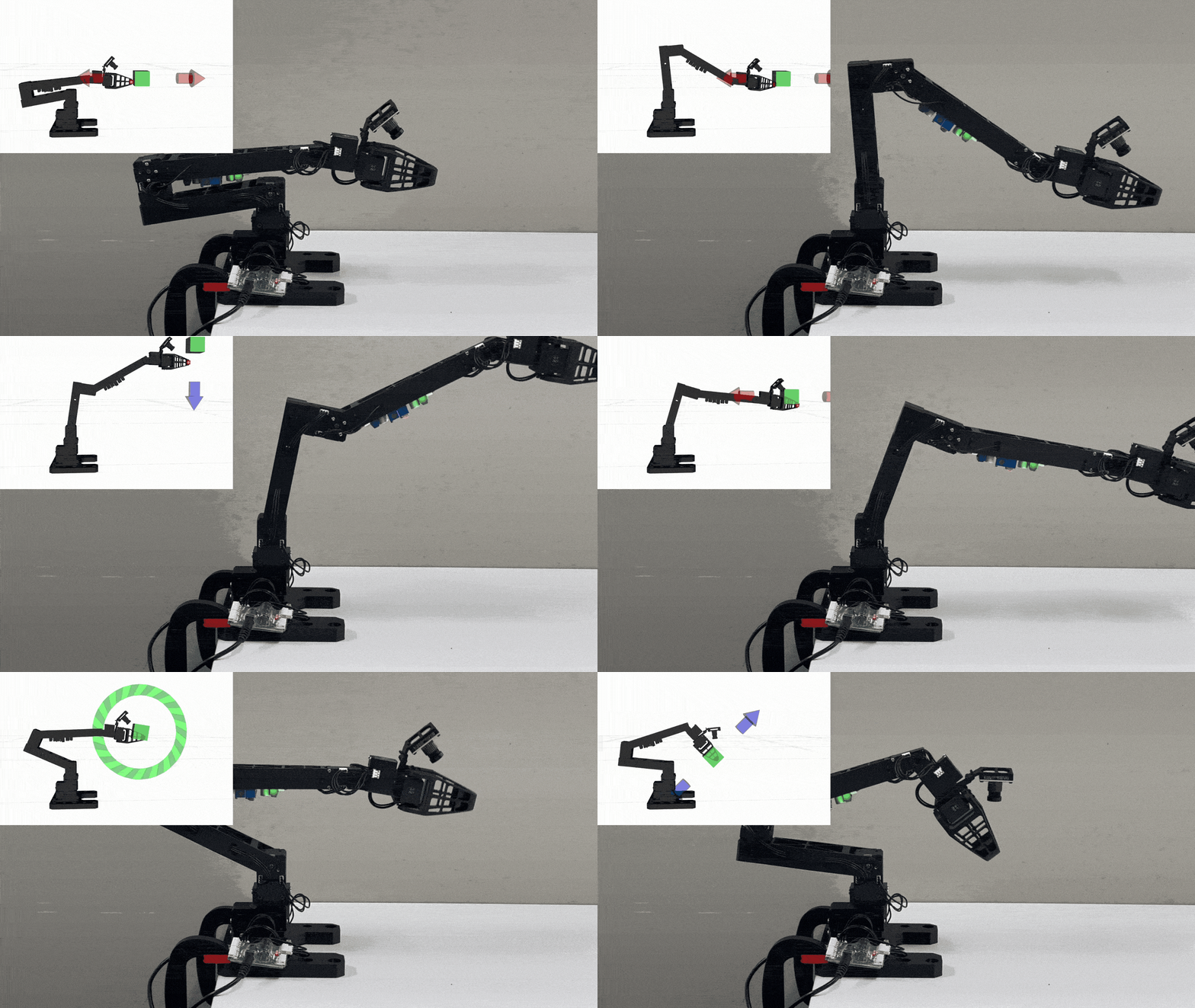
When start_interactive_marker:=true, the launch file starts one interactive marker named omx_goal_marker. Marker publishes MoveL commands directly to /omx_movel_controller/movel.
You can use the movel controller in two ways:
- Move the interactive marker in RViz to send a new Cartesian goal.
- Publish a
MoveLcommand directly to/omx_movel_controller/movel.
TIP
The default movel controller is usually the easiest way for beginners to test the motion controller because the interactive marker sends MoveL commands directly and the controller handles the interpolation and safe joint motion.
ros2 topic pub --once /omx_movel_controller/movel robotis_interfaces/msg/MoveL "{
  pose: {
    pose: {
      position: {x: 0.20, y: 0.00, z: 0.18},
      orientation: {x: 0.0, y: 0.0, z: 0.0, w: 1.0}
    }
  },
  time_from_start: {sec: 3, nanosec: 0}
}"
movel uses the time_from_start field as the interpolation duration for the Cartesian motion.
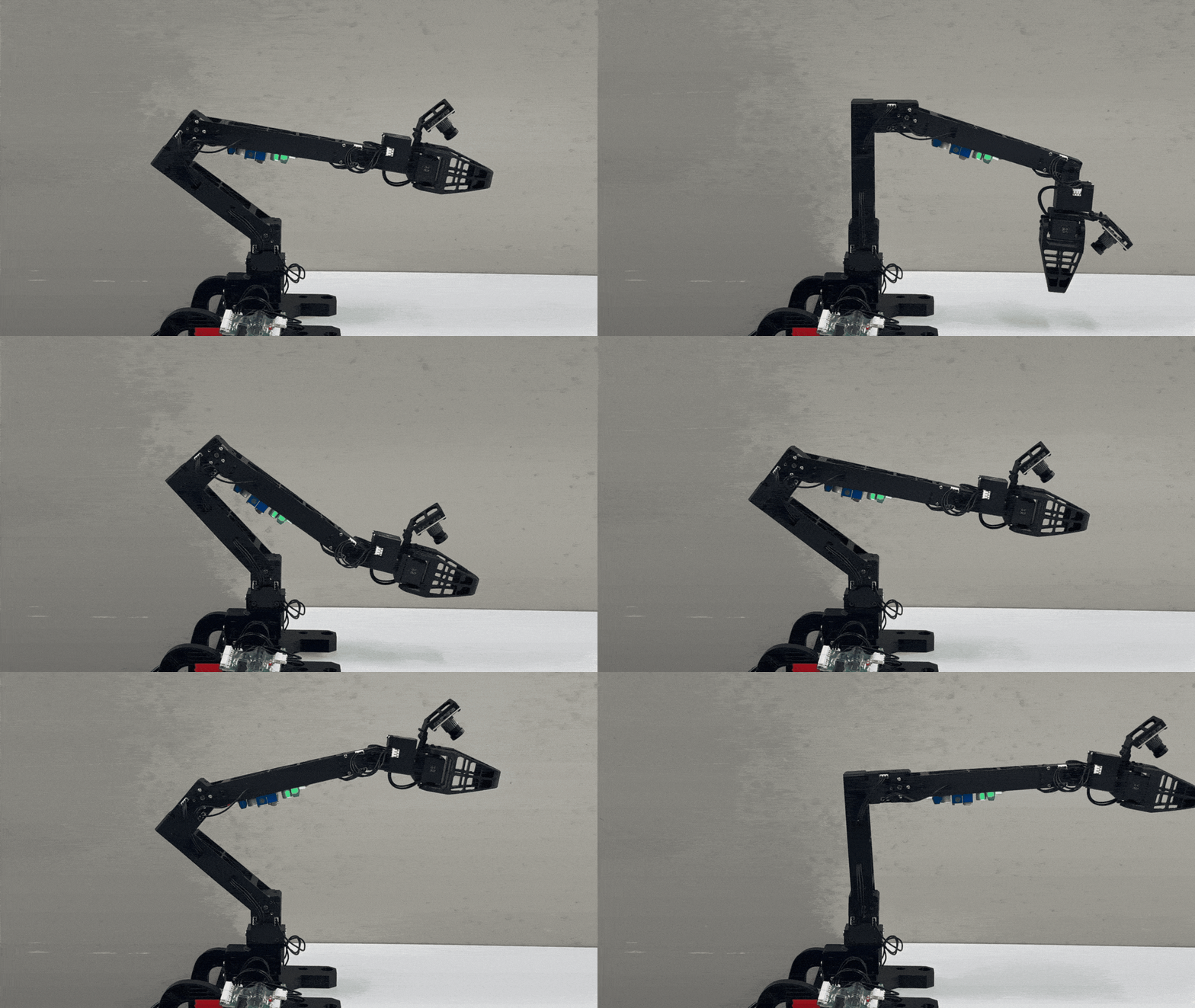
Launch MoveJ Controller
This controller is used to execute a joint-space target command.
ros2 launch cyclo_motion_controller_ros omx_controller.launch.py controller_type:=movejIt subscribes to ~/movej under the node namespace, which becomes /omx_movej_controller/movej with the default node name.
Example command:
ros2 topic pub --once /omx_movej_controller/movej trajectory_msgs/msg/JointTrajectory "{
  joint_names: ['joint1', 'joint2', 'joint3', 'joint4', 'joint5', 'gripper_joint_1'],
  points: [
    {
      positions: [0.0, -0.5, 0.8, 0.0, 0.3, 0.02],
      time_from_start: {sec: 3, nanosec: 0}
    }
  ]
}"
The controller interpolates from the current joint state to the requested joint configuration while applying QP-based constraint handling.
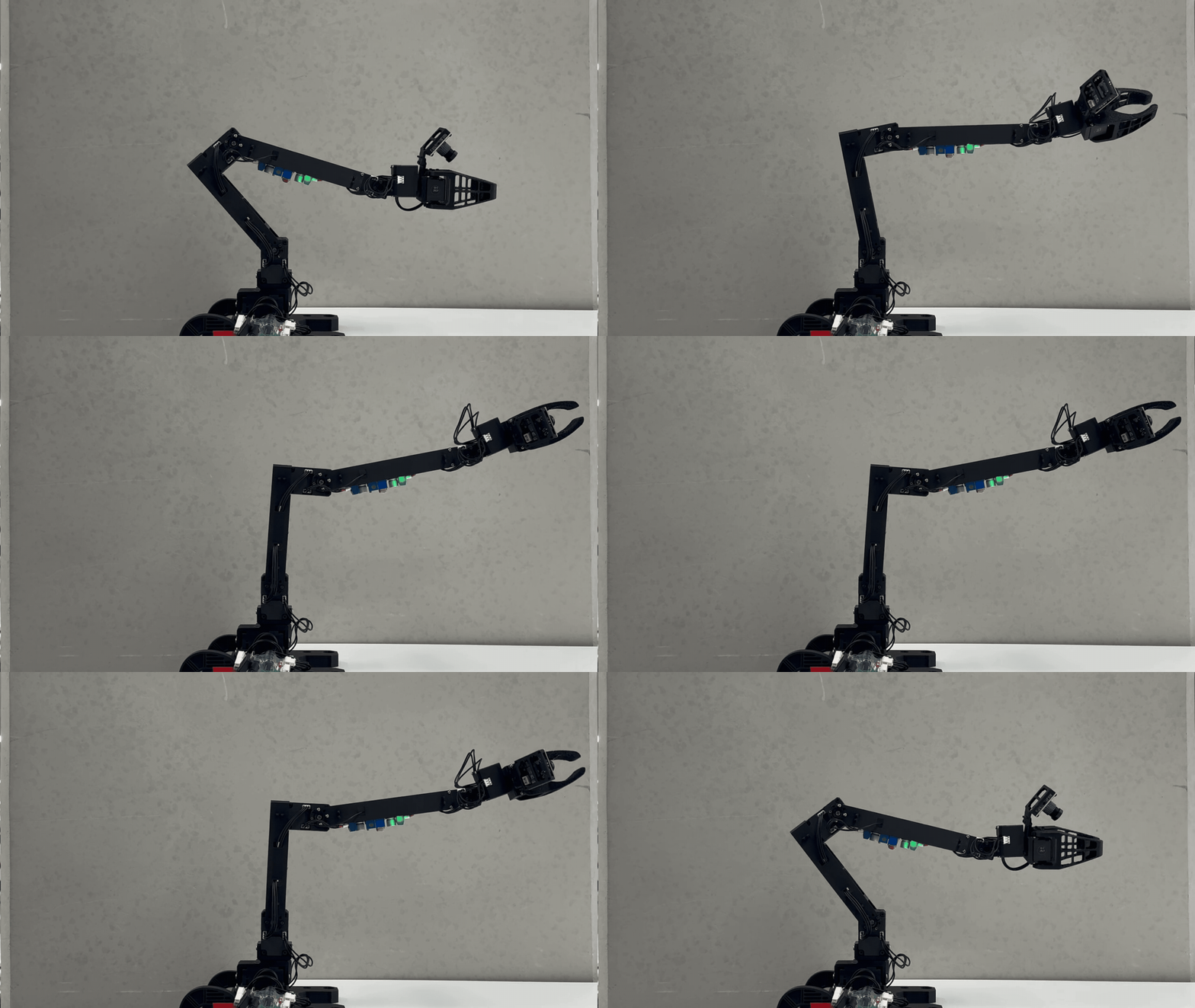
Launch Arguments
controller_type: Selectsmovejormovel. Default:movel.start_interactive_marker: Starts the interactive marker whencontroller_type:=movel.base_frame: Base frame for control and marker visualization. Default:link0.controlled_link: End-effector link tracked by the controller. Default:end_effector_link.config_file: Path to controller configuration yaml file.marker_goal_topic:MoveLtopic published by the interactive marker. Default:/omx_movel_controller/movel.marker_scale: Marker size in RViz.urdf_pathandsrdf_path: Override the OMX robot model files.
Key Topics
Common
/joint_states: Measured OMX joint state required by all controller modes/leader/joint_trajectory: Output joint trajectory command published by the controllers
MoveL
/omx_movel_controller/movel: CartesianMoveLinput for the default controller/omx_movel_controller/current_pose: Current end-effector pose published by the default controller/omx_movel_controller/controller_error: Controller error status for the default controller
MoveJ
/omx_movej_controller/movej: Joint-space command topic formovej
Troubleshooting
- If the marker does not appear in RViz after setting
start_interactive_marker:=true, check that theInteractiveMarkersdisplay is added and that thebase_frameis set correctly.(default set tolink0) - If the
movelcontroller does not move, check the terminal log to see whether/joint_statesis updating and whetherMoveLcommands are arriving on/omx_movel_controller/movel. - If
movejdoes not respond, confirm the published joint names match the OMX model joints.
Controller Parameters
The main parameters live in cyclo_motion_controller_ros/config/omx_config.yaml. The file is divided by controller name, so you usually tune only the block that matches the controller mode you are running.
omx_movel_controller
control_frequency,time_step: Main control loop speed.trajectory_time: Time field used when publishing output joint trajectories.kp_position,kp_orientation: Cartesian tracking gains for end-effector position and orientation.weight_task_position,weight_task_orientation: Relative importance of position and orientation tracking in the QP solve.weight_damping: Regularization term that discourages unnecessarily large joint velocities.collision_buffer,collision_safe_distance: Safety margins used for collision avoidance.slack_penalty: Cost applied when the solver must relax constraints. Larger values enforce constraints more strictly.cbf_alpha: Responsiveness of the barrier constraint. Larger values make the constraint act more like a full brake near a cliff, affecting the control input later and more abruptly as the motion gets very close to the constraint boundary.base_frame,controlled_link: Base frame and end-effector link used by the controller.joint_states_topic: Source of measured robot state.joint_command_topic: Output joint trajectory command topic.movel_topic: Input topic for theMoveLcommand.ee_pose_topic: Published current end-effector pose topic.controller_error_topic: Published controller error topic.
omx_movej_controller
control_frequency,time_step: Main control loop speed.trajectory_time: Time field used when publishing output joint trajectories.kp_joint: Joint-space tracking gain for themovejtarget.weight_joint_tracking: Relative importance of joint tracking in the QP solve.weight_damping: Regularization term that discourages unnecessarily large joint velocities.collision_buffer,collision_safe_distance: Safety margins used for collision avoidance.slack_penalty: Cost applied when the solver must relax constraints. Larger values enforce constraints more strictly.cbf_alpha: Responsiveness of the barrier constraint. Larger values make the constraint act more like a full brake near a cliff, affecting the control input later and more abruptly as the motion gets very close to the constraint boundary.base_frame,controlled_link: Base frame and end-effector link used for state reporting.joint_states_topic: Source of measured robot state.joint_command_topic: Output joint trajectory command topic.movej_topic: Input topic for themovejcommand.ee_pose_topic: Published current end-effector pose topic.controller_error_topic: Published controller error topic.
Safety and Usage Tips
DANGER
⚠️ The controller only provides self-collision avoidance, and it is not guaranteed in all situations. Operate the robot carefully and avoid fast or sudden movements.
- Keep hands and cables clear before sending marker,
movej, ormovelcommands. - Start with small motions first to confirm the robot model, frames, and topics are configured correctly.
- Stop the controller immediately with
Ctrl+Cif it is safe to do so and the robot behaves unexpectedly.