
Setup Guide for OMX
This guide will walk you through the process of setting up your OMX hardware and software environment.
Hardware Setup
OMX-F
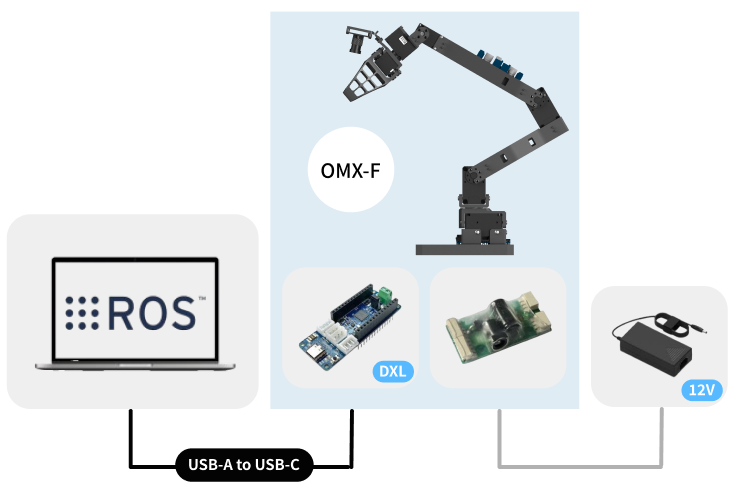
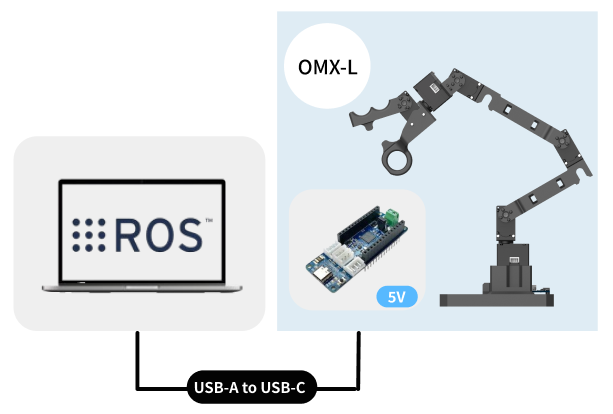
OMX-L
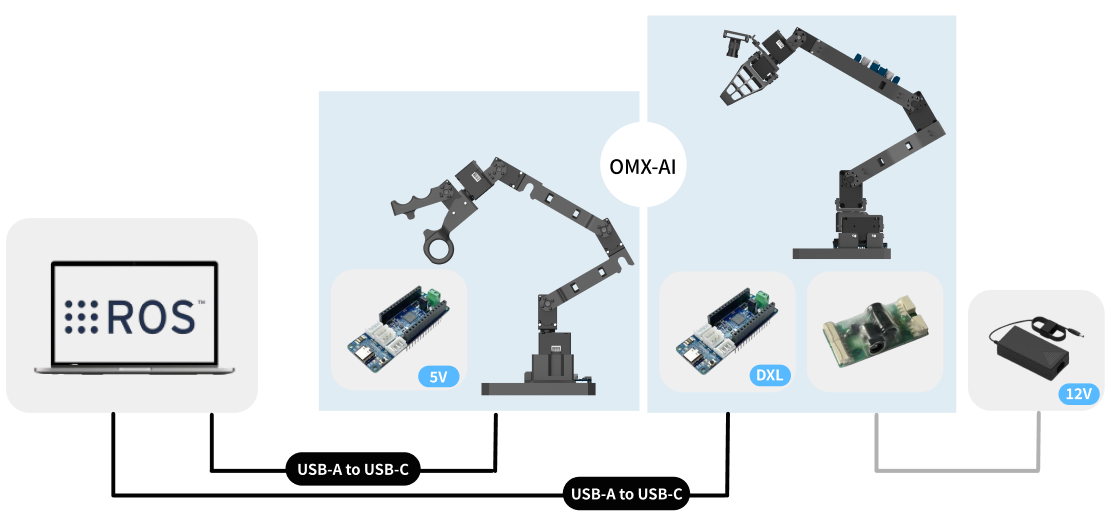
OMX-AI
Choose Your Workflow
Two options are available for controlling your OMX robot:
ROS 2 Workflow with Physical AI Tools (Recommended)
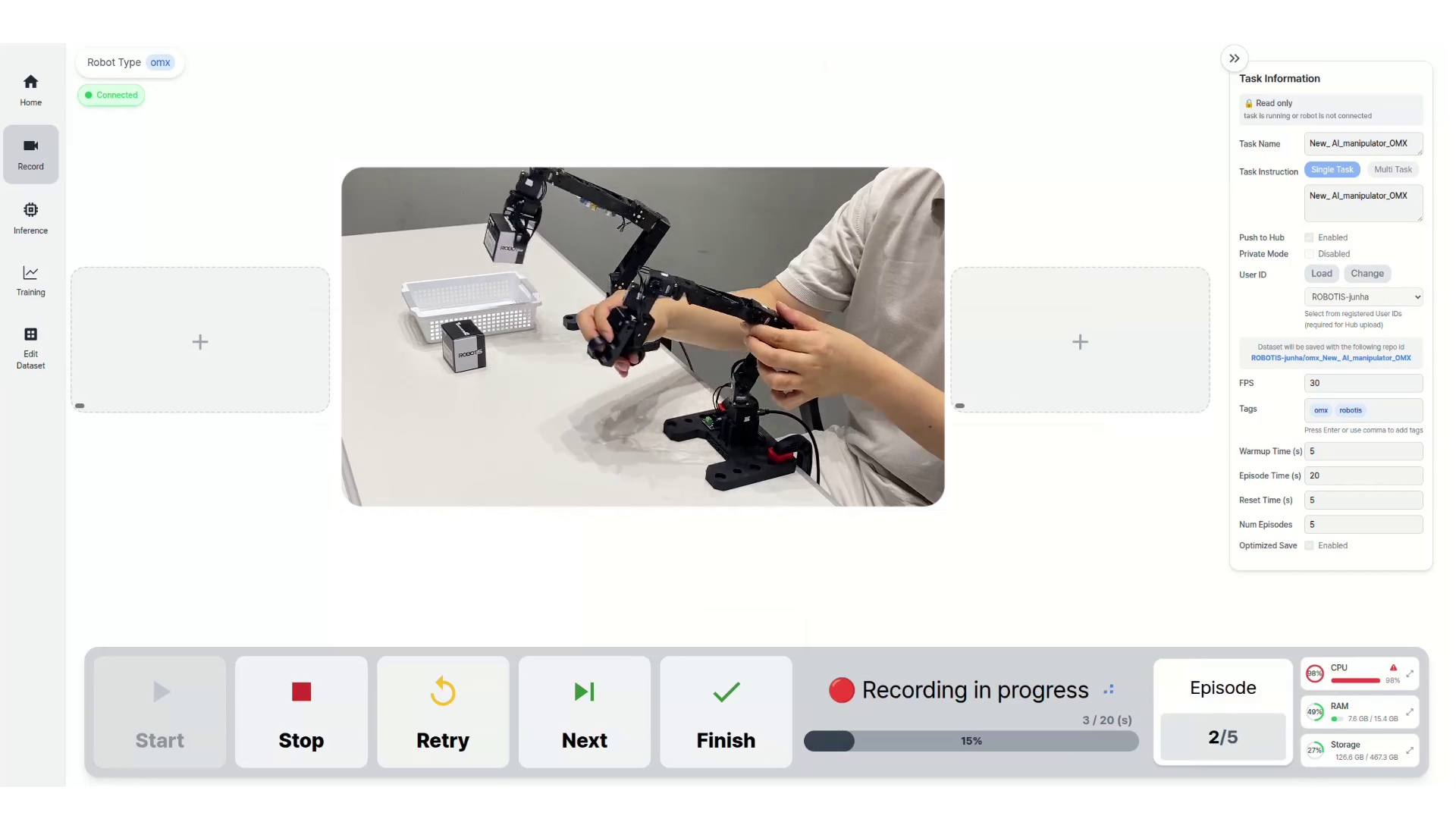 Physical AI Tools is a ROS 2 package that provides a comprehensive web-based interface for imitation learning. It works as a ROS 2 workflow that combines the Open Manipulator package with Physical AI Tools to enable every feature of LeRobot and extends them with additional capabilities:
- Web-based GUI: Intuitive browser interface for easy interaction
- Complete Imitation Learning Workflow: End-to-end pipeline from data collection to model deployment
- Control Recording: Capture robot demonstrations through the web interface
- Training Interface: Train imitation learning models with visual feedback
- Inference Control: Deploy and test trained models directly through the GUI
- Enhanced Features: Additional tools and utilities beyond standard LeRobot functionality
We strongly recommend using Physical AI Tools as it provides the most user-friendly and feature-rich experience for OMX control and imitation learning.
Physical AI Tools Setup GuideLeRobot CLI (Alternative)
LeRobot is the underlying robotics framework that powers Physical AI Tools. While it provides direct command-line control and is fully functional, it requires more technical expertise and lacks the web-based interface that makes robot control more accessible.
LeRobot Setup Guide